8 Best Smart Forms Apps for Construction Teams 2026
Updated Mon, Jul 13, 2026 - 22 min read
Top blog articles
Sponsored Rates for October 2026
Compare Rates for Mortgage, Personal Loans and Home Equity


Quick Answer
Workyard ($6/user/mo + $50 base fee) enforces compliance by blocking clock-out until required, GPS-verified forms are submitted and linked to payroll. SafetyCulture ($24/seat/mo) serves safety-oriented teams with an extensive template library, offline support, and formal approval workflows. GoFormz ($24/user/mo) digitizes existing paper workflows by converting uploaded PDFs into mobile-fillable forms with their original layouts preserved.
Missing field paperwork is no longer just an admin headache; it is a liability event. OSHA willful violations for missing safety records carry a maximum penalty of $165,514 per incident.
Generic digital forms, like static PDFs emailed to the office, close the paper gap in theory. In practice, crews complete them retroactively, away from the job site, with no location data attached.
Teams using smart forms in construction get something different: context-aware forms that capture GPS and timestamps at submission, enforce required fields with conditional logic, and block clock-out until the form is submitted.
The eight platforms below cover the full range: from clock-out-gated enforcement to safety audit libraries to exact paper form replication. Each has been evaluated on mobile usability, GPS capture, enforcement architecture, construction templates, and payroll integration.
Top Smart Forms Apps for Construction Teams at a Glance
| Software | GPS Capture | Form Enforcement | Templates | Offline | Time Tracking | Starting Price |
|---|---|---|---|---|---|---|
| Workyard | High-precision, continuous | Hard block at clock-out | Pre-built + AI builder | ✓ Full | ✓ Native (payroll-ready) | $6/user/mo + $50 base |
| Raken | Timestamp + location | Soft reminders only | Construction-specific | ✓ Auto-sync | Partial (2-tool stack) | Custom quote (~$35/mo base) |
| Connecteam | GPS fields (Advanced plan) | Prevent clock-out (Advanced) | Generic + PDF upload | Limited | ✓ Native | Free / $29/mo (30 users) |
| SafetyCulture | Location + timestamp | No payroll clock block | Largest public library | ✓ Full | Requires 2-tool stack | Free / $24/seat/mo |
| GoFormz | All plans | No clock-out block | Exact PDF replica | ✓ Full | Standalone only | $24/user/mo (Team) |
| Jotform | Widget add-on | None | Generic templates | ✓ App-based | None | Free / $34/mo (Bronze) |
| Procore | Full metadata | Required field validation | Full QA/Safety suite | ✓ Full | ✓ Native timesheets | Custom (ACV-based) |
| FieldWire | Photo metadata | No clock-out block | 6 default templates | ✓ Full | Manual form entry | Free / $39/user/mo (Pro) |
How We Chose These Smart Forms Apps for Construction Teams
We selected these tools based on seven criteria that matter most for field-based construction compliance.
- Mobile usability. Works on 3G, is readable with work gloves, and is one-handed friendly.
- Construction-specific templates. This includes pre-built OSHA logs, toolbox talks, and vehicle inspections, or the ability to easily build them.
- GPS and location capture. An active stamp at submission is required, not a cached device location.
- Enforcement capability. Can the system mechanically block clock-out until the form is submitted?
- Time tracking and payroll integration. Does form submission connect directly to shift data, or is it a separate step?
- Signature capture and audit trail. The signature must be timestamped, include device ID, and be ESIGN-compliant to be defensible in legal discovery.
- Per-seat cost at scale. Each app was evaluated at a 20-worker baseline for SMB relevance.
1. Workyard: GPS Time Tracking with Enforced Smart Forms
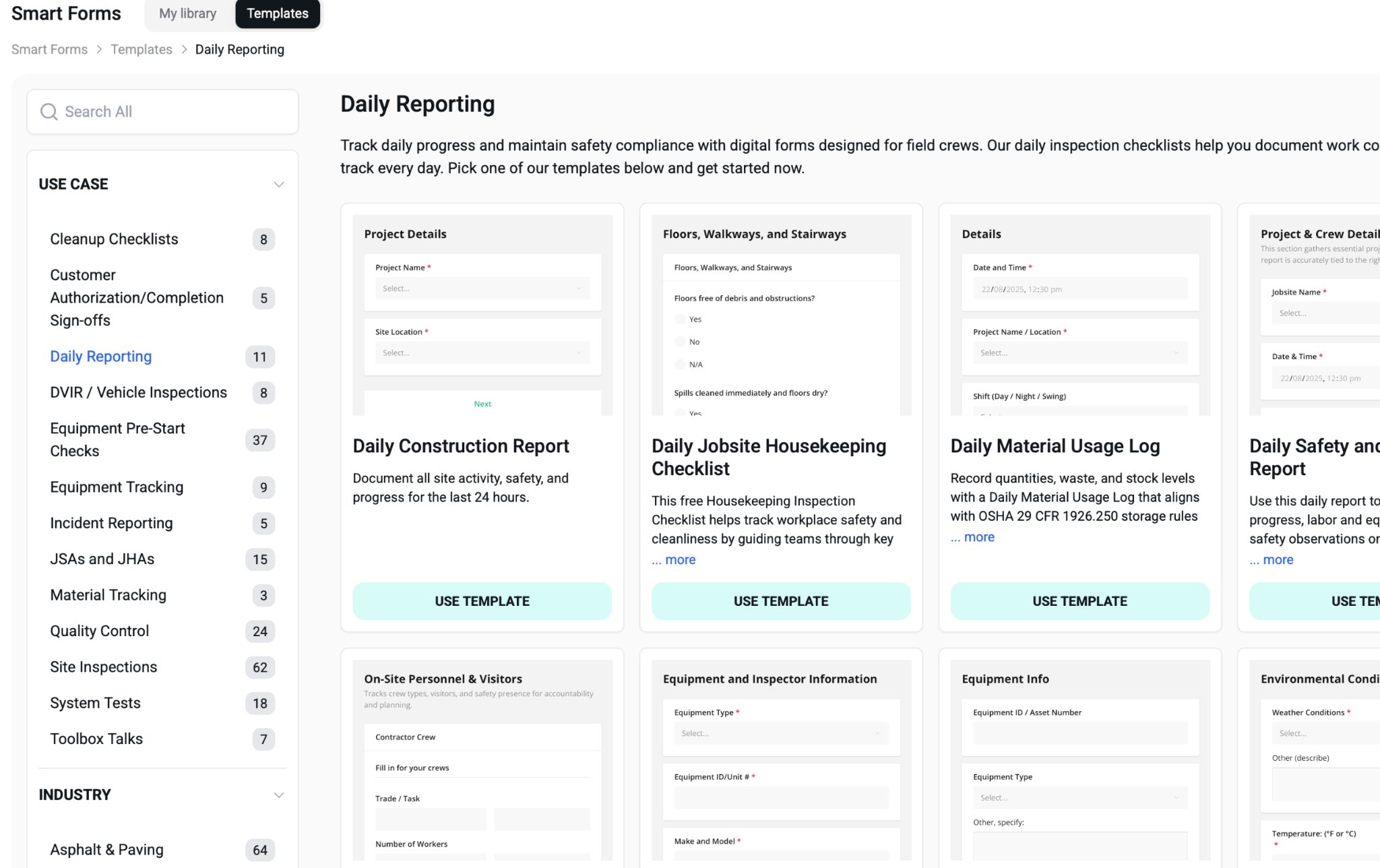
What is Workyard?
Workyard is a GPS-based time tracking specifically designed for the construction industry. Research conducted by the company across 46 different trade categories identified that inaccuracies in payroll and paper time cards represent a nearly universal operational hurdle for construction firms.
I evaluated its app to see how Workyard tackles this issue. Among the features I tested is its ability to prevent employees from clocking out when a mandatory form has not been completed.
The system successfully enforces this through an automated process rather than relying on worker behavior. During testing, I set a vehicle pre-trip inspection as a mandatory requirement for clocking out; the software prevented the shift from being finalized until the form was submitted.
There were no options to bypass the requirement or delay it, effectively blocking payroll completion until compliance was met.
What are Workyard’s key features?
- Mandatory Clock-out Procedures: Shift finalization is blocked until the required GPS-verified forms are submitted.
- Advanced GPS Breadcrumbing: The app tracks continuous location data throughout a shift, going beyond simple clock-in/out stamps.
- AI-Driven Form Creation: Quickly transforms existing PDF documents into digital, mobile-friendly forms.
- Industry-Specific Templates: Access ready-to-use formats for daily logs, safety inspections, and incident reporting.
- Automated Project Linking: Uses geofencing to identify job sites and automatically associate form entries with the right project.
- GPS-Verified Submissions: Every submitted form is automatically tagged with precise coordinates and a timestamp at the moment it is finished.
How much does Workyard cost?
- Free Trial: 14 days, no credit card required
- Starter: $6/user/mo + $50/mo base fee
- Pro: $13/user/mo + $50/mo base fee
- Enterprise: Custom pricing
What are the pros and cons of Workyard?
Pros:
- GPS-stamped submissions verify on-site completion
- AI builder quickly digitizes paper forms
- Native payroll integration removes manual data entry
- Features specific to construction, like cost codes and certified payroll exports
Cons:
- Continuous GPS may require users to engage in diligent device battery management
- Forms are only available as part of the time-tracking suite
- Lacks a permanent free tier
What are the use cases for Workyard?
Workyard is best for teams who are using smart forms in construction to enforce GPS-verified documentation at clock-out, with payroll-linked proof that every form was completed on-site.
TR3 Group had no documented fleet-maintenance program. A DOT inspection drove their commercial auto premium to approximately $250,000 per year. After deploying Workyard smart forms for daily vehicle inspections, their premium dropped by $123,000.
2. Raken: Construction Daily Reports and Field Data Collection
What is Raken?
Raken is a construction field management platform built around the daily report. General contractors use it to document site conditions, weather delays, material deliveries, and subcontractor sign-offs.
Compliance is handled through dashboards and reminders. Raken can flag missed reports and notify supervisors, but it cannot mechanically block a worker from clocking out if a form is skipped.
What are Raken’s key features?
- Digital daily reports: structured templates for site conditions, weather, materials, and equipment.
- Toolbox talks and safety checklists: pre-built formats for field safety documentation.
- Photo and video logs: attach media directly to daily reports for timestamped field records.
- Subcontractor sign-offs: digital confirmations from subs linked to each project day.
- Time cards (Professional and above): capture field hours alongside production data.
- Offline mode: automatic background syncing when connectivity returns.
- ERP integrations: deep connections to Sage 300 CRE and Viewpoint Vista.
- Compliance dashboard: tracks missed daily reports and safety incidents across projects.
How much does Raken cost?
- Basic: ~$35/mo base
- Professional: ~$80/mo base
- Performance: ~$93/mo base
- No freemium model. Free trial available. Custom quote required.
What are the pros and cons of Raken?
Pros:
- Purpose-built daily reporting interface designed for construction supervisors
- Strong subcontractor coordination and sign-off workflow
- Reliable offline mode with automatic sync
- Deep ERP integrations with Sage and Viewpoint
Cons:
- No clock-out enforcement: form completion depends on reminders, not system architecture
- Time cards require the Professional plan and up
- Payroll processing requires a separate tool, adding a reconciliation step
- Pricing is not published per-user, requiring a sales conversation to budget
What are the use cases for Raken?
Raken is best for medium-to-large general contractors where standardized daily reporting, subcontractor coordination, and dispute-ready field records are the primary documentation need, particularly those already connected to Sage or Viewpoint ERPs.
3. Connecteam: Forms and Clock-Out Enforcement for Deskless Teams
What is Connecteam?
Connecteam is a horizontal workforce management platform used across construction, retail, hospitality, and healthcare. Construction accounts for approximately 44% of its user base.
It is not construction-specific. Templates are functional but generic, with no pre-built OSHA logs or certified payroll outputs. What it offers, at a price point that undercuts most competitors, is a mechanical clock-out enforcement mechanism available from $49 per month flat for up to 30 workers.
What are Connecteam’s key features?
- Prevent clock-out enforcement: blocks shift finalization until required forms are submitted (Advanced plan).
- GPS-required form fields: mandates location capture at submission to confirm on-site completion (Advanced plan).
- Geofencing for time clock: restricts clock-in to defined job site boundaries (Advanced plan).
- AI speech-to-text: lets workers in PPE dictate field observations hands-free.
- PDF auto-conversion: upload existing paper forms; AI maps fields to a mobile-ready digital version.
- Unlimited forms and checklists: available from the Basic plan upward.
- Recurring auto-reminders: bulk-sends reminders to workers who have not submitted required documentation.
- Native time tracking: GPS clock-in/out integrated within the same platform.
How much does Connecteam cost?
- Small Business: Free for life, up to 10 users, all hub features
- Basic: $29/mo for first 30 users: unlimited forms and checklists
- Advanced: $49/mo for first 30 users: GPS-required fields, clock-out enforcement, conditional logic
- Expert: $99/mo for first 30 users: automated form reports, timesheet audit logs
What are the pros and cons of Connecteam?
Pros:
- Clock-out enforcement available from $49/mo flat for teams up to 30 workers
- Free plan for micro-crews up to 10 workers with full feature access
- AI speech-to-text useful for workers in PPE who cannot type
- PDF auto-conversion speeds up onboarding of legacy paper forms
Cons:
- Not construction-specific: no OSHA-compliant templates, no certified payroll, no job costing
- Flat pricing ends at 30 users; costs scale per user beyond that tier
- Enforcement features require the Advanced plan, not the base tier
What are the use cases for Connecteam?
Connecteam is best for construction operations with 11 to 30 workers that need clock-out enforcement and mobile forms at a low cost, where job costing and certified payroll outputs are handled by a separate accounting system.
4. SafetyCulture (iAuditor): Safety Inspection Workflows and Audit Defense
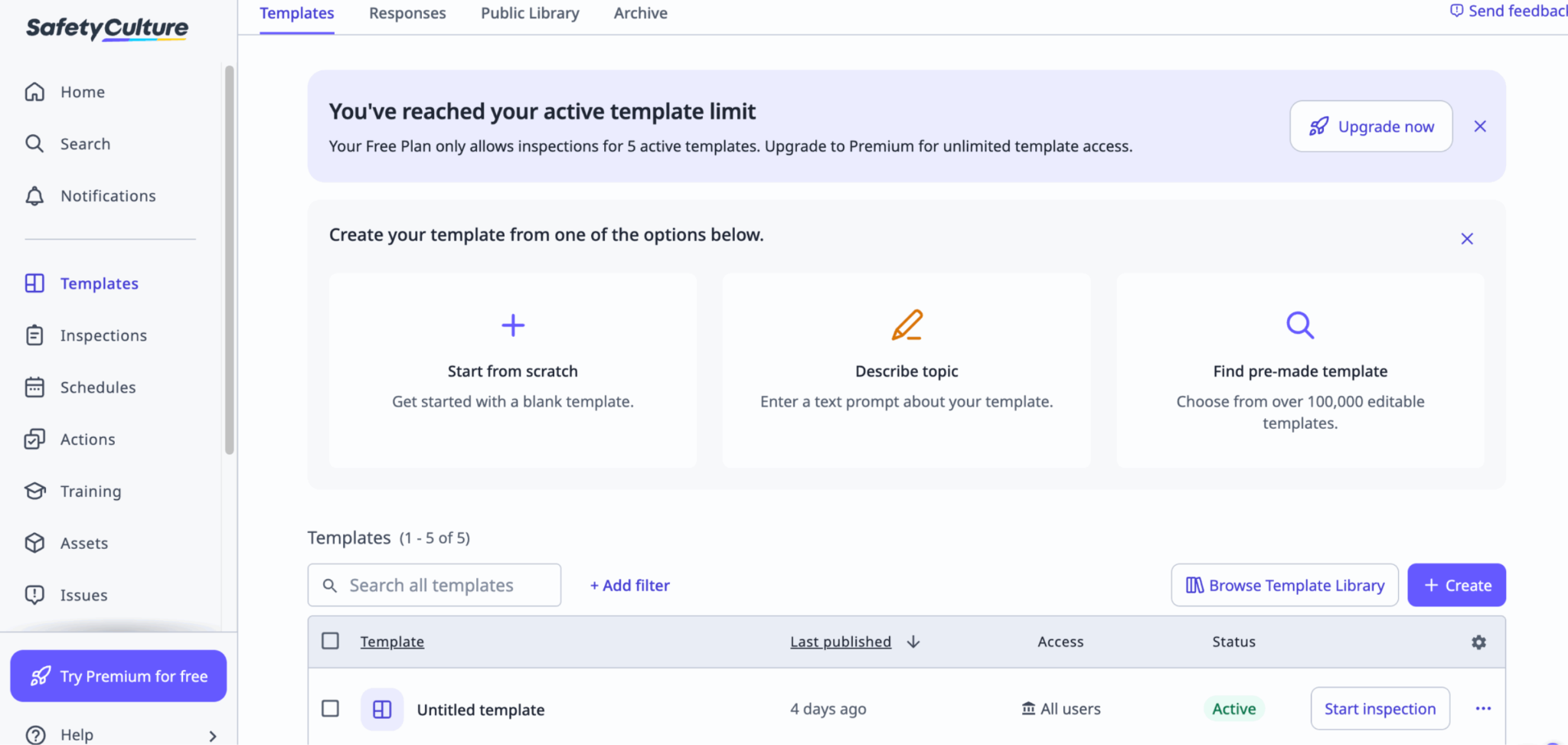
What is SafetyCulture?
SafetyCulture (formerly iAuditor) is a dedicated inspection and compliance platform used across construction, manufacturing, and heavy industry. It holds one of the largest public libraries of pre-built construction inspection templates available.
The platform is audit-centric. It enforces required fields and routes completed inspections through multi-tier approval workflows. It does not have a native payroll time clock, so it cannot block a worker’s clock-out based on form completion.
What are SafetyCulture’s key features?
- Inspection template library: OSHA compliance forms, Job Safety Analysis templates, incident reports, and scaffolding audits.
- Multi-tier approval workflows: requires superintendent’s countersignature before high-risk work proceeds.
- Logic-driven required actions: mandatory fields and conditional logic prevent incomplete submissions.
- AI template builder: accelerates conversion of proprietary forms to the platform format.
- Offline functionality: forms complete locally and sync automatically when connectivity returns.
- Location and timestamp capture: stamps GPS coordinates and time on every submission.
- Analytics dashboard: tracks inspection completion rates, safety incidents, and compliance trends.
- Custom API integrations: connects to project management and ERP systems (Premium plan).
How much does SafetyCulture cost?
- Free: Up to 10 users, 5 active templates, basic analytics
- Premium: $24/seat/mo (billed annually) or $29/seat/mo (billed monthly)
- Enterprise: Custom quote: dedicated support, custom data structures
What are the pros and cons of SafetyCulture?
Pros:
- Largest public construction inspection template library of any platform reviewed
- Approval workflows create court-defensible countersignature records for high-risk work
- Reliable offline functionality for underground and low-signal environments
- Free plan is functional for micro-teams testing the platform
Cons:
- No native payroll time clock: cannot enforce clock-out based on form completion
- Requires a second tool for time tracking and payroll, adding integration overhead
- Per-seat pricing scales steeply for larger crews
- Some users report that photo reordering mid-audit is cumbersome
What are the use cases for SafetyCulture?
SafetyCulture is best for construction companies with a dedicated EHS function that need structured approval workflows, a deep inspection template library, and defensible audit trail exports for OSHA investigations and commercial insurance reviews.
5. GoFormz: Digitizing Existing Paper Forms for Construction
What is GoFormz?
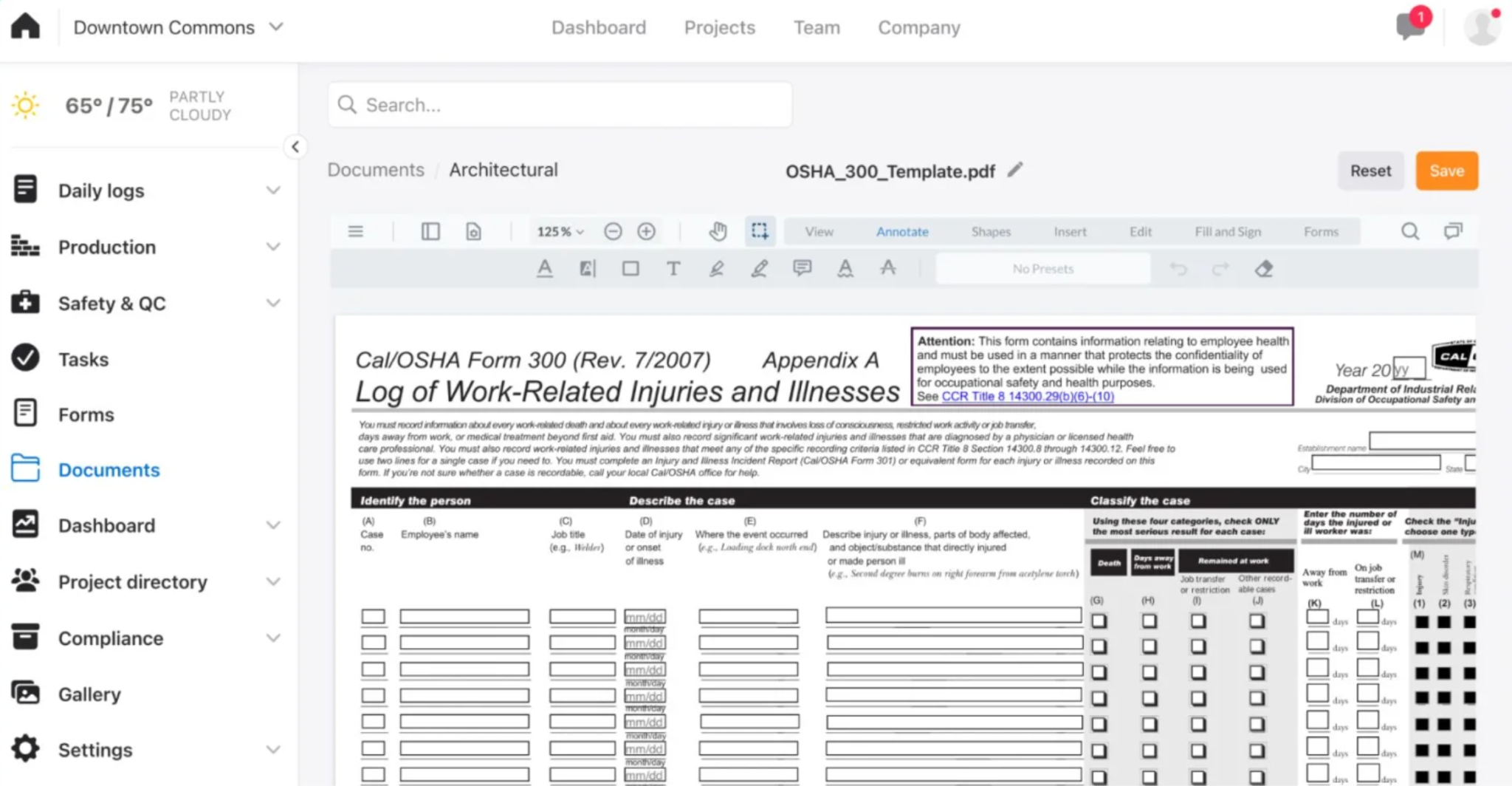
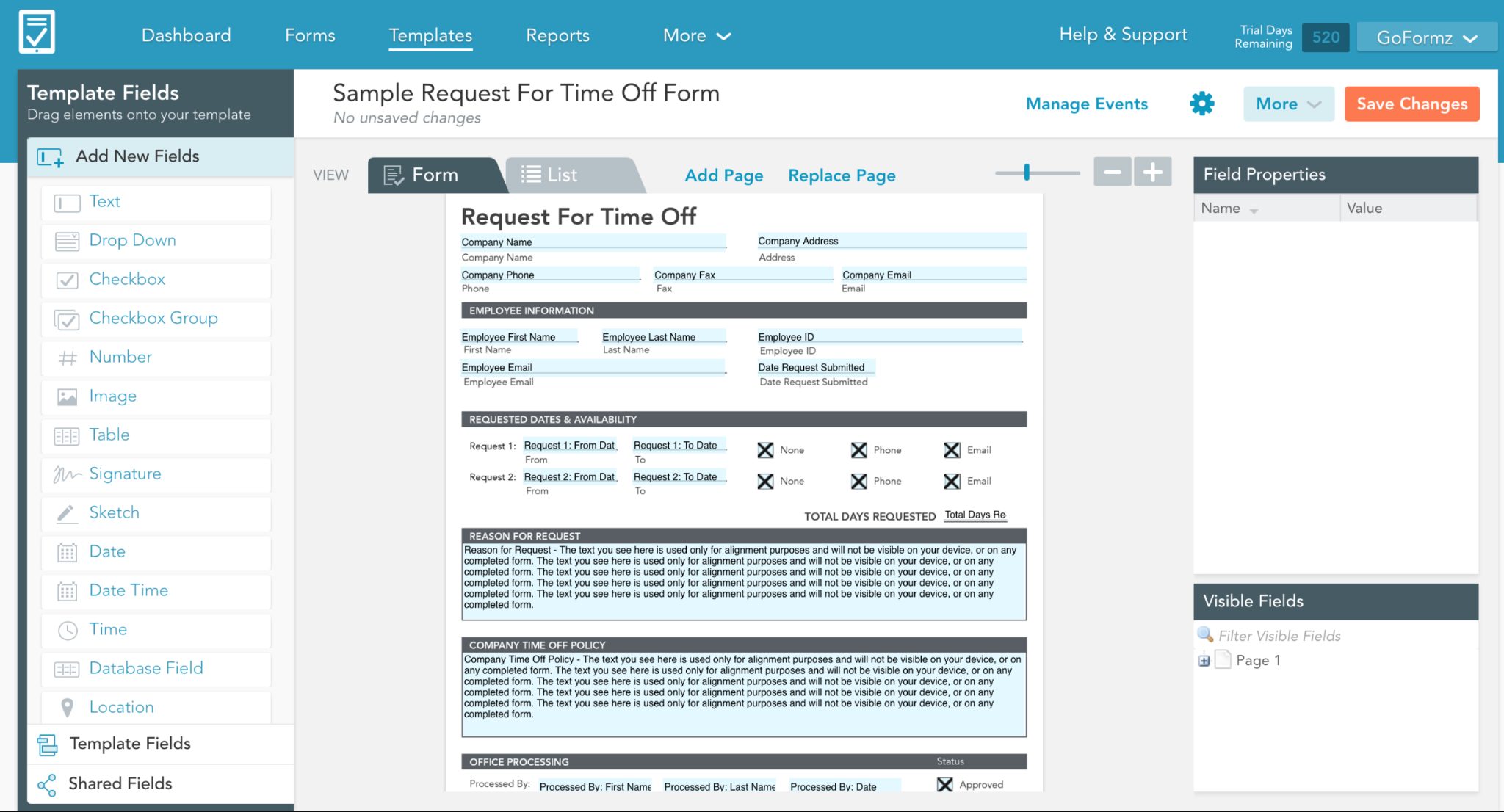
GoFormz digitizes existing paper forms exactly as they are. Upload a PDF of your current OSHA 300 log, permit documentation, or QA inspection sheet, and GoFormz renders it as a mobile-fillable form with the identical layout.
For veteran field crews resistant to new interfaces, that familiarity accelerates adoption. The platform captures GPS coordinates and ESIGN-compliant signatures on all plans. It does not have a payroll time clock or a clock-out enforcement mechanism.
What are GoFormz’s key features?
- Exact PDF replication: uploads existing paper forms and preserves their original layout on mobile.
- GPS capture on all plans: location stamp attaches to every form submission natively.
- ESIGN-compliant signatures: legally binding signatures captured within the replicated form layout.
- Conditional logic (Advanced plan): displays required fields based on prior answers to prevent incomplete submissions.
- Approval workflows: routes completed forms through compliance review before reaching external systems.
- Barcode scanning: available on the Advanced plan for inventory and equipment tracking.
- Offline mode: forms complete locally and sync once connectivity returns.
- Premium integrations (Advanced plan): two-way data sync with Procore, Salesforce, and Smartsheet.
How much does GoFormz cost?
- Team: $24/user/mo (billed annually)
- Advanced: $48/user/mo
- Enterprise: Custom
Note: The 15-user cap on the Team plan forces most construction operations to the Advanced tier.
What are the pros and cons of GoFormz?
Pros:
- Exact PDF replication reduces adoption friction with veteran crews
- GPS capture and ESIGN-compliant signatures are available on all plans
- Strong Procore integration for teams already using that platform
- Full offline functionality for low-signal job site environments
Cons:
- No payroll time clock: cannot block clock-out based on form completion
- 15-user cap on the Team plan forces most operations to the Advanced tier at double the cost
- No native scheduling, time tracking, or payroll functionality
What are the use cases for GoFormz?
GoFormz is best for field service and construction teams with established paper-based documentation workflows who want to digitize existing forms without rebuilding them, particularly for permit documentation, QA matrices, and inspection records.
6. Jotform: Low-Cost Digital Forms for Small Construction Operations
What is Jotform?
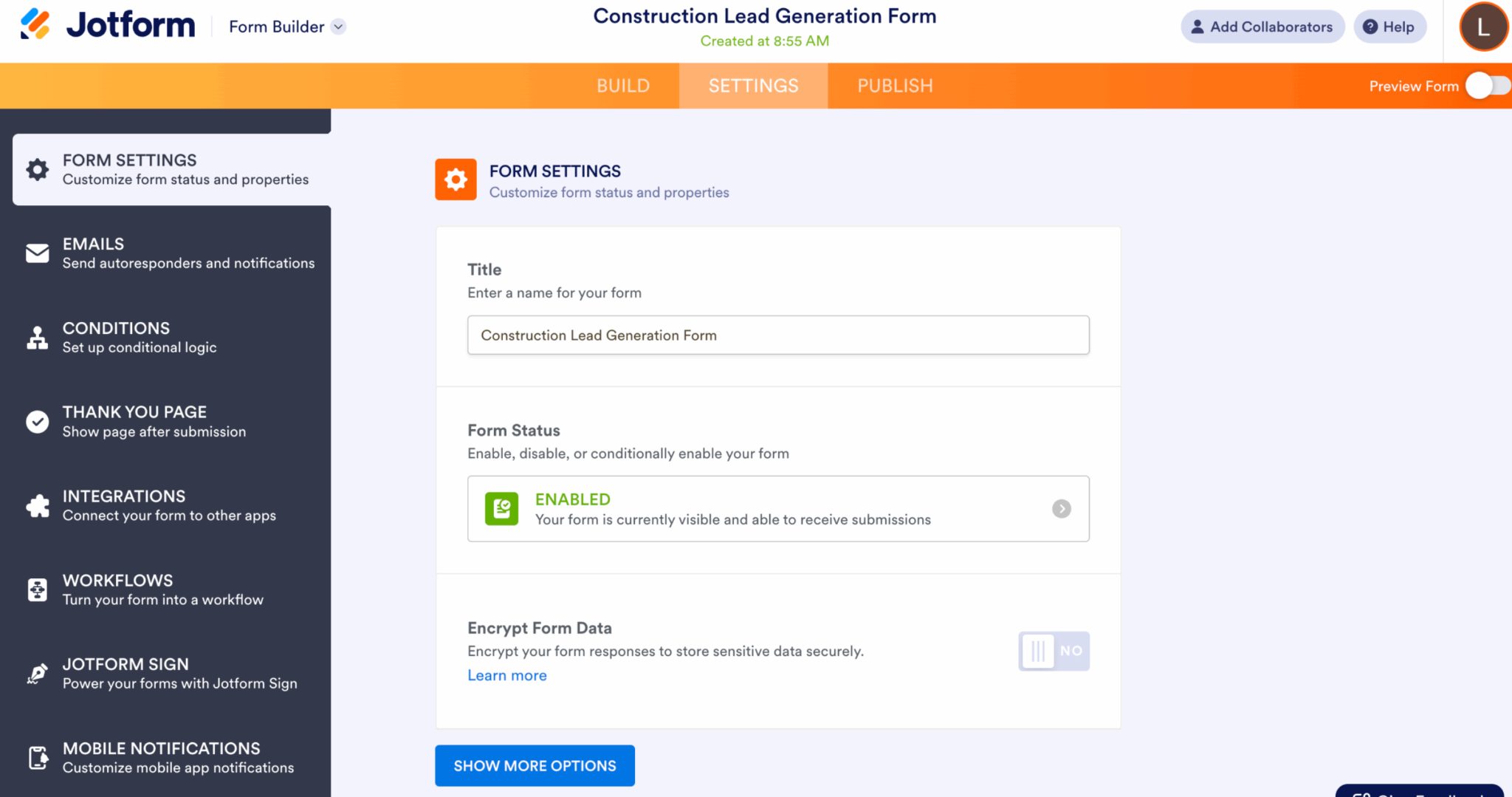
Jotform is a general-purpose form builder used across industries. It is not construction-specific, but it has a large library of construction-adjacent templates and a low entry price that makes it a common first step for contractors moving away from paper.
The platform’s critical structural constraint: every standard plan is a single-user license. A construction company that needs individual, auditable logins for each worker must purchase an Enterprise contract. Without individual accounts, there is no way to track which worker submitted which form.
What are Jotform’s key features?
- Large template library: generic business and construction-adjacent form templates, plus AI agent templates.
- Conditional logic: required fields that adjust based on prior answers.
- Jotform Sign: electronic signature capture integrated with the form builder.
- GPS capture (widget add-on): location stamp available via a specific add-on, not native to the submission flow.
- Workflow automations: routes submissions to next steps or external systems after completion.
- Offline mode: dedicated mobile app supports offline data collection.
- Wide integration library: connects to Google Sheets, Dropbox, Slack, and 100+ other platforms.
How much does Jotform cost?
- Starter: Free
- Bronze: $34/mo (single-user)
- Silver: $39/mo (single-user)
- Gold: $99/mo (single-user, includes HIPAA compliance)
- Enterprise: Custom pricing
What are the pros and cons of Jotform?
Pros:
- Free plan available for very small operations, testing digital forms
- Fast setup with a large library of ready-to-use templates
- Wide integration options for teams already using common business tools
- Workflow automations reduce the manual routing of completed forms
Cons:
- Standard plans are single-user licenses: unsuitable for any crew needing individual accountability
- GPS capture requires an add-on widget, not built into the native submission flow
- No time tracking, scheduling, payroll integration, or enforcement mechanism
- Multi-user access requires Enterprise, effectively eliminating the low-price advantage at scale
What are the use cases for Jotform?
Jotform is best for sole proprietors or two-to-three-person operations that need basic digital forms at near-zero cost and plan to revisit their software stack as the crew grows.
7. Procore: Enterprise Construction Management with Integrated Forms
What is Procore?
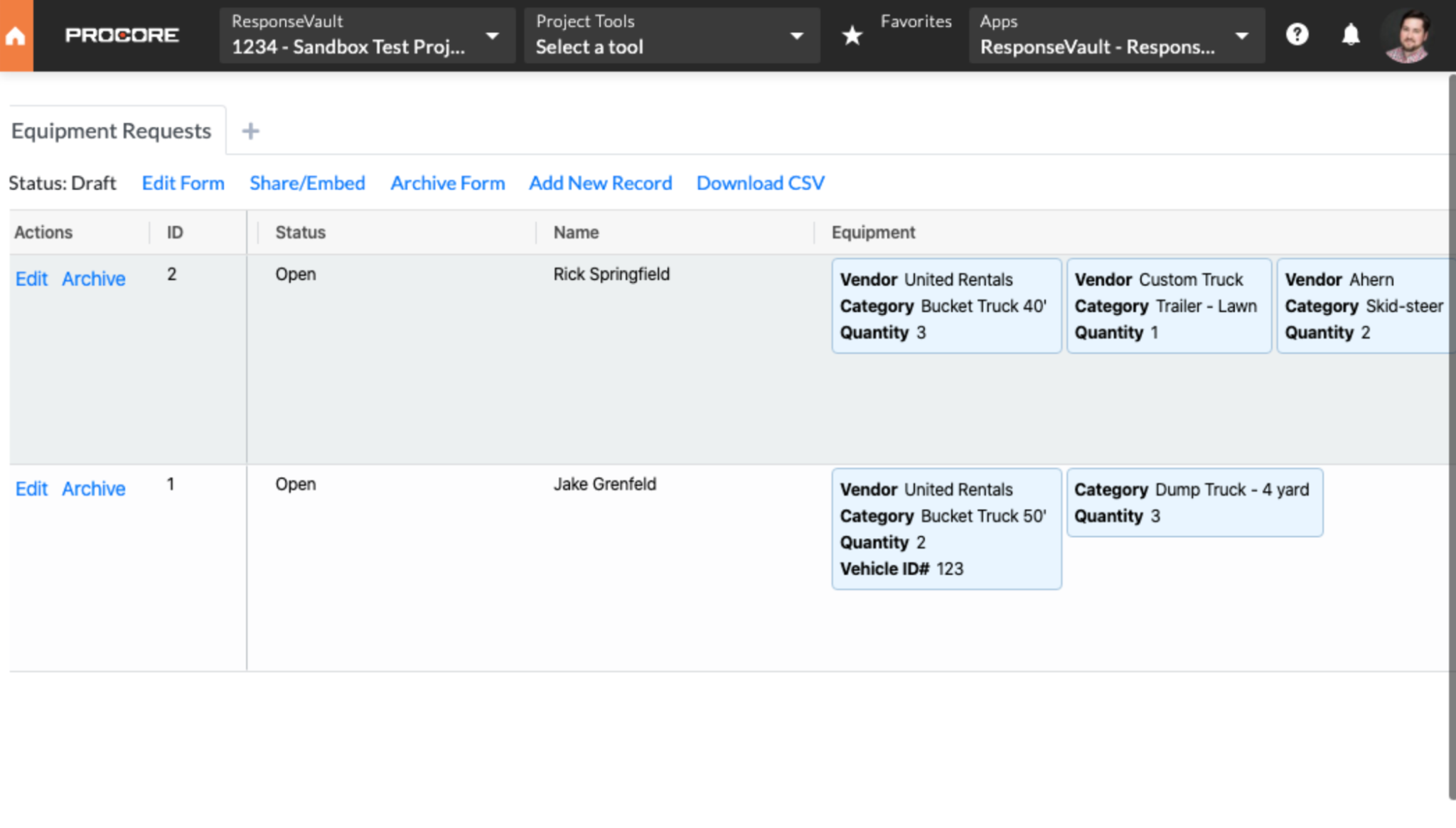
Procore is a construction management operating system. Forms are one component inside its Quality and Safety module, bundled alongside financials, project scheduling, procurement, and compliance tracking. The forms feature is not available as a standalone product.
For contractors already running Procore across their projects, the forms functionality is strong. For a 20-person specialty sub that only needs field documentation, the cost is prohibitive.
What are Procore’s key features?
- Real-time required field validation: mobile forms guide workers through mandatory fields before submission is accepted.
- Multi-tier approval workflows: Superintendent review is required before field data reaches accounting.
- Quick Capture: voice-enabled input lets workers log observations by dictating short video clips in the field.
- Native timesheets: integrate directly with major construction ERPs for payroll processing.
- Fillable PDF library: upload forms to the library, manage daily logs, and track project-wide safety observations.
- Unlimited users: pricing is based on Annual Construction Volume, not per seat.
- 24/7 support: included at all pricing tiers with unlimited data storage.
- Full metadata capture: observations, inspections, and incidents link GPS, timestamp, and user data automatically.
How much does Procore cost?
- Small Team: $10,000 to $80,000/year
- Mid-Size: $50,000 to $150,000/year
- Enterprise: $100,000 to $600,000+/year
- No free tier, no self-serve trial. Contractors report annual renewal increases of 5 to 14%.
What are the pros and cons of Procore?
Pros:
- Unlimited users are included at every pricing tier
- Multi-tier approval workflows create court-defensible oversight records
- Quick Capture reduces manual form entry friction on active job sites
- Native timesheets connect directly to major construction ERPs
Cons:
- Financially prohibitive for operations under $10 to $15M in annual construction volume
- Forms are not available as a standalone product
- No free tier or self-serve trial
- Annual price increases of 5 to 14% reported at renewal
What are the use cases for Procore?
Procore is best for mid-to-large general contractors already operating the full platform, where adding forms to an existing deployment carries no additional procurement friction and the cost is justified by project complexity and volume.
8. FieldWire (Hilti): Blueprint-Linked QA/QC and Field Documentation
What is FieldWire?
FieldWire, acquired by Hilti, is a job site coordination platform built around plan viewing, task management, and spatial QA/QC. Forms exist as an extension of the drawing workflow, not as a standalone compliance tool.
Its key differentiator is the ability to pin forms, safety deficiencies, and corrective tasks to exact X/Y coordinates on a digital blueprint. That spatial indexing makes it particularly effective for post-construction defect defense.
What are FieldWire’s key features?
- Blueprint-pinned forms: pins safety audits, QA/QC checklists, and deficiency records to exact locations on plan drawings.
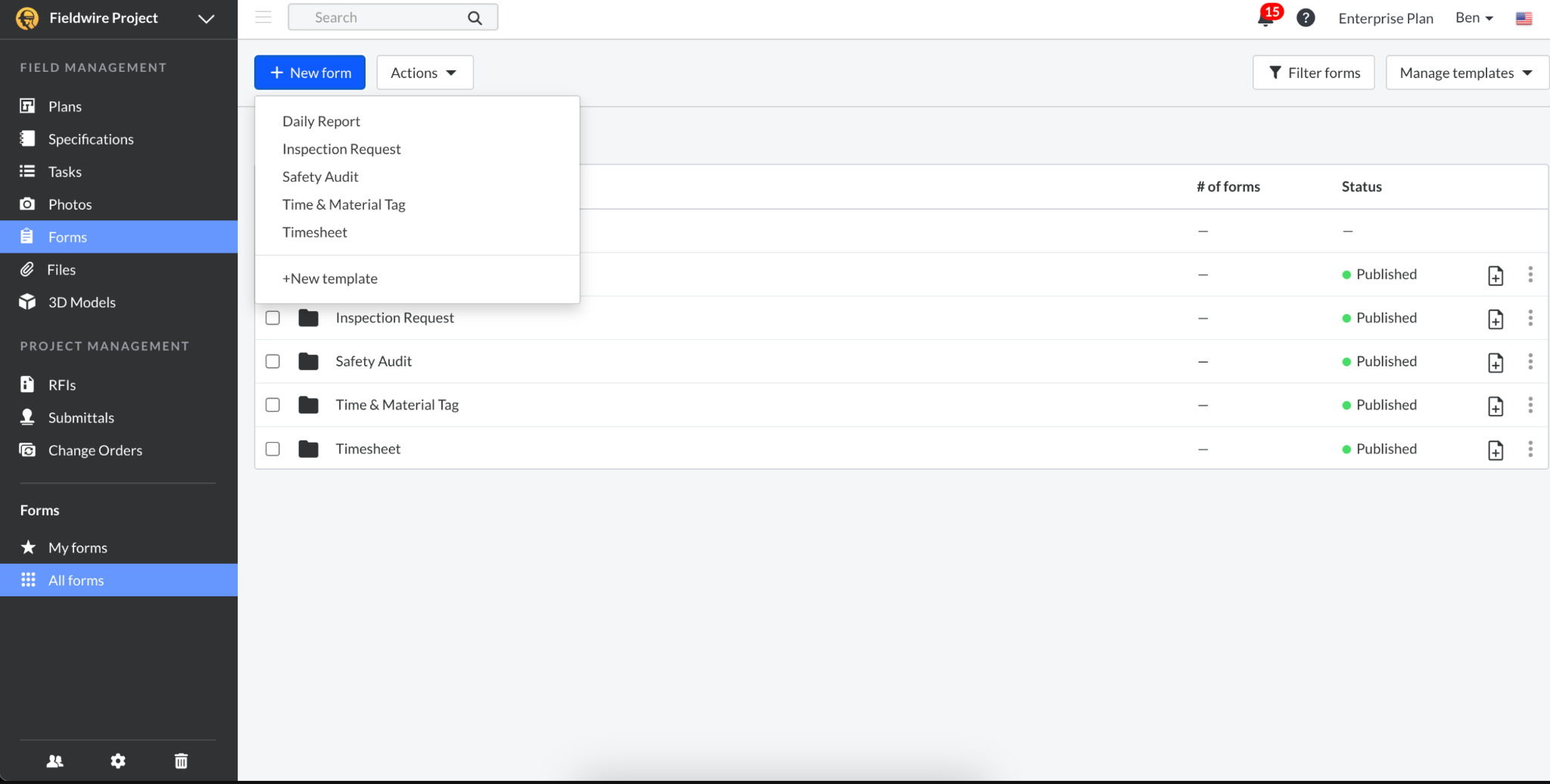
- Custom form builder (Business plan): six default templates plus a builder for custom construction forms.
- Mandatory field support: forms enforce required fields before submission is accepted.
- Photo metadata stamps: captures timestamp and location data attached to every photo.
- BIM viewer (Business plan): three-dimensional model viewing alongside field documentation.
- 360-degree photo support (Business plan): immersive site documentation linked to drawing locations.
- Offline functionality: plan viewing and form completion work without cell service.
- RFIs, Submittals, and Change Orders (Business Plus): full document management for complex projects.
How much does FieldWire cost?
- Basic: Free
- Pro: $39/user/mo (billed annually)
- Business: $64/user/mo (billed annually)
- Business Plus: $89/user/mo (billed annually)
Note: Custom forms require the Business plan. Confirm current pricing post-Hilti acquisition before budgeting.
What are the pros and cons of FieldWire?
Pros:
- Unique ability to pin forms and safety deficiencies to exact blueprint coordinates
- Strong QA/QC documentation trail for post-construction defect defense
- Full offline support for plan viewing and form completion
- BIM viewer and 360-degree photo support on the Business plan
Cons:
- Custom forms require the Business plan at $64/user/mo, one of the higher per-seat costs in this comparison
- No automated payroll GPS clock: time tracking is a manual form entry, not a payroll ledger
- Forms are not available as a standalone product
- Post-Hilti pricing changes should be confirmed before budgeting
What are the use cases for FieldWire?
FieldWire is best for construction teams where drawing management and spatially indexed QA/QC documentation are the primary operational priorities, and where tying safety audits to exact blueprint locations is more valuable than payroll-integrated form enforcement.
How Do I Choose Smart Forms Software for My Construction Company?
Start with one question: does your crew skip forms when nobody is watching?
If yes, you need clock-out enforcement, not reminders. Workyard and Connecteam are the two options here with a mechanical gate.
If your primary risk is regulatory audit defense, SafetyCulture’s approval workflows and template depth are built for that.
If crews resist new interfaces, GoFormz’s exact PDF replication removes the learning curve.
If you are already spending $50M or more annually inside Procore, its forms module is already in your contract.
What Features Should Construction Smart Forms Software Include?
- GPS location capture at submission. Confirms the worker was on-site, not submitting from a truck on Friday.
- Required field logic. Prevents submission if mandatory fields are blank.
- Offline functionality. Platforms that fail in dead zones create documentation gaps at the worst possible moment.
- Electronic signature with timestamp and device ID. Legally defensible, not just a typed name.
- Audit trail export. Timestamped, attributed record of every submission in a format that survives legal discovery.
- Payroll or project management integration. Forms that require a second data-entry step in the office double the administrative burden.
- Clock-out enforcement. Available in Workyard and Connecteam. The highest-impact feature for closing the documentation gap.
How Does Smart Forms Software Integrate with Time Tracking and Payroll?
Integration depth varies. “Integration available” and “eliminates double-entry” are not the same.
Workyard’s integration is architectural: clock-out triggers the form, form completion finalizes the shift, and shift data flows into payroll-ready timesheets with GPS attached.
Raken and SafetyCulture push data into ERPs via API, but time data enters through a separate channel. Reconciliation is still a manual step.
GoFormz, Jotform, and FieldWire are pure data collection layers. They produce records that must be imported or API-connected into a payroll system.
Final Thoughts
Smart forms close the gap between documentation that exists and documentation that holds up. The right platform captures GPS at submission, enforces required fields, and connects form completion directly to payroll without a manual step in between.
Workyard leads for construction teams that need forms enforced at the clock-out event, with GPS-verified proof that every submission happened on-site. Connecteam is the budget pick for crews under 30 needing that same mechanical enforcement at a lower cost. SafetyCulture is the right call when a dedicated EHS function manages the safety program.
The best platform is the one your crews actually complete forms on. Test mobile usability, offline performance, and GPS accuracy in the field before committing. A form submitted on-site is worth more than a feature list that looks good in a demo.
Frequently Asked Questions
What is smart forms software for construction?
Smart forms are mobile-first digital forms that capture GPS coordinates and timestamps at submission, enforce required fields, and route data automatically into compliance or payroll systems. They adjust fields based on prior answers, work offline, and, in the strongest platforms, block clock-out until completed. The result is a document that is not just filed but legally defensible.
Are Smart Forms apps free to use?
Yes, several platforms have free tiers. SafetyCulture supports up to 10 users and 5 active templates. Connecteam’s Small Business plan is free for life for up to 10 workers. FieldWire’s Basic tier allows 5 users across 3 projects but excludes custom forms. Jotform is free for 5 forms and 100 submissions. Workyard and Raken offer 14-day trials only. For operations with over 10 workers requiring individual accountability, free tiers are rarely adequate.
Which eSignature platforms include smart forms for construction teams?
GoFormz, SafetyCulture, Workyard, and FieldWire support ESIGN-compliant signatures natively within form submissions. Jotform uses Jotform Sign, a separate integrated product. Connecteam and Raken support signature fields, but are not eSignature-first platforms. For construction, look for platforms that attach a timestamp, device ID, and GPS coordinate alongside the signature, not just a captured image of a name.
How do smart forms work on a job site?
A worker opens a required form triggered by a clock-in event, geofence detection, or schedule assignment. They complete the fields, attach photos, and sign. The platform stamps GPS coordinates and a timestamp at submission. In strong-signal environments, data syncs immediately. Offline, submissions queue locally and sync once connectivity returns. With clock-out enforcement enabled, the shift cannot close until the form is submitted.
What is the difference between smart forms and regular digital forms?
A regular digital form is a static document on a screen with no context, no location data, and no enforcement. A smart form captures GPS, timestamps the submission, enforces mandatory fields with conditional logic, routes through approval chains, and integrates with payroll or project management. The difference for construction is between a document that exists and a document that holds up in an audit, an insurance investigation, or a courtroom.
What are the benefits of using smart forms in construction?
GPS-verified documentation converts paperwork from a filing task into a liability shield. Direct benefits include OSHA audit readiness, insurance premium stabilization, reduced rework from on-site quality checklists, and wage-and-hour dispute protection.
How do I create a smart form for construction inspections?
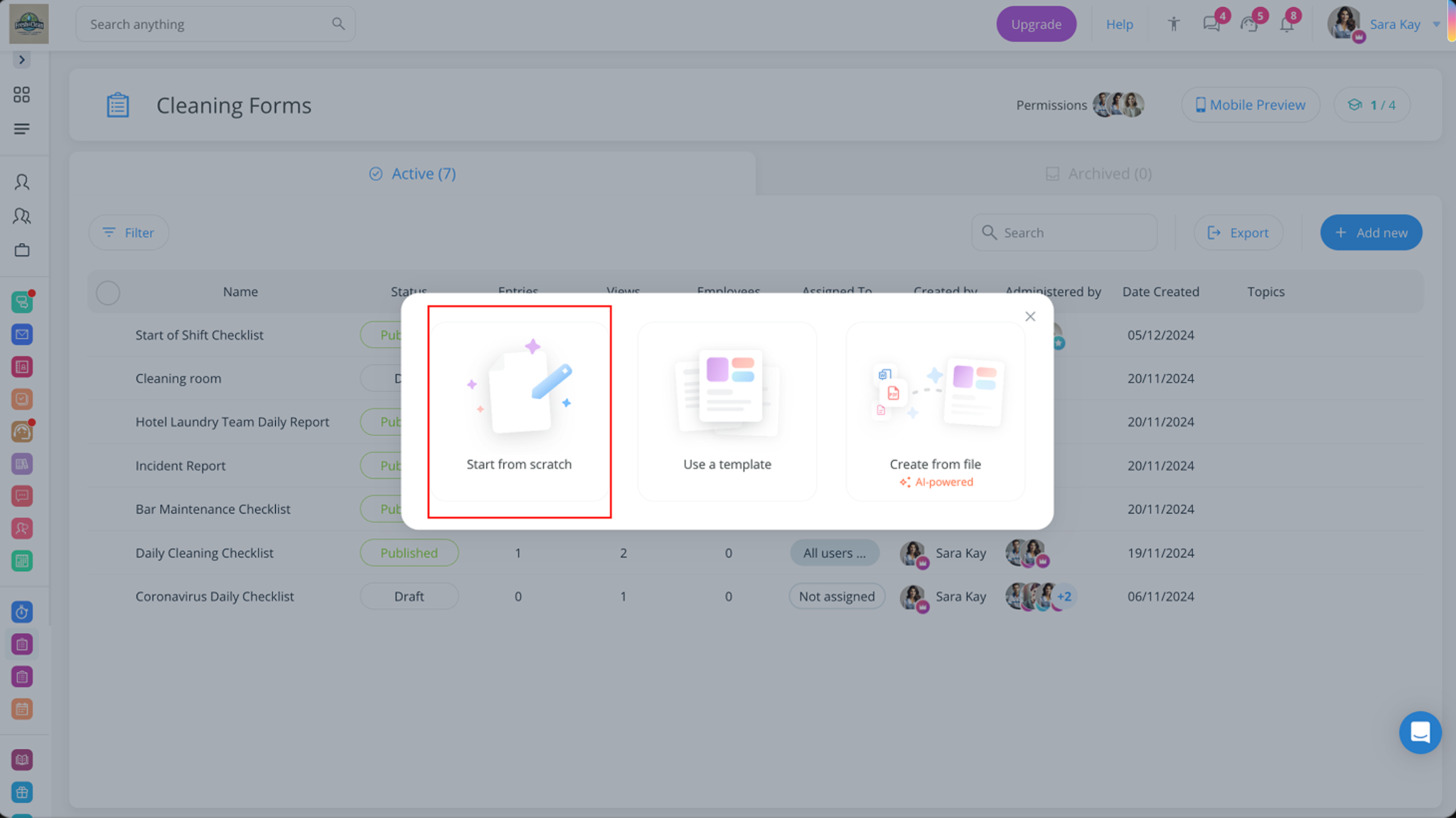
Three options: start from a pre-built template, upload an existing PDF for automatic conversion (GoFormz and Workyard both support this), or build from scratch using a drag-and-drop form builder. Always check the platform’s template library first. A compliant OSHA incident report or vehicle inspection form may already exist and only need minor field adjustments.
Can construction workers fill out smart forms offline?
Yes. Workyard, GoFormz, SafetyCulture, and Raken all support full offline functionality: forms are completed locally on the device and sync automatically once connectivity returns. Connecteam’s offline support is plan-dependent. FieldWire handles offline well for both plan viewing and form completion. The key test is whether GPS data queues accurately and syncs without data loss in specific field environments like underground sites or dense urban areas.
What is the best app to create construction forms?
Workyard if crews must complete forms before clocking out. SafetyCulture for the largest library of pre-built safety and compliance templates. GoFormz for converting existing paper forms without rebuilding them. Connecteam for small crews needing enforcement on a tight budget. The best platform depends on whether the priority is enforcement architecture, template depth, or workflow continuity.
How do smart forms reduce liability and insurance costs for contractors?
Insurers and plaintiff attorneys focus on the gap between what a contractor should have documented and what they can produce. A GPS-stamped, timestamped, digitally signed vehicle inspection form is a different legal artifact than a handwritten log. TR3 Group cut their commercial auto premium by $123,000 after implementing Workyard smart forms for daily pre-trip vehicle inspections. The original premium hike was a documentation failure, not an equipment failure.

Written by Billy Guteng. July 13, 2026
Billy is a content writer for Kukun. He was born in France, and has lived in multiple cities around the world ever since. He loves art, design and architecture as well as construction and real estate.
Top blog posts









See more >
Recommended

Join our newsletter
Get helpful renovation tips, insightful home maintenance articles, real estate market trends, and more.
Please enter a name
Please enter a valid e-mail